
GastroApp manual
Recipes and food cost
Write a recipe once and see its cost per serving, the waste and a suggested menu price.
Step 1. Open Recipes.
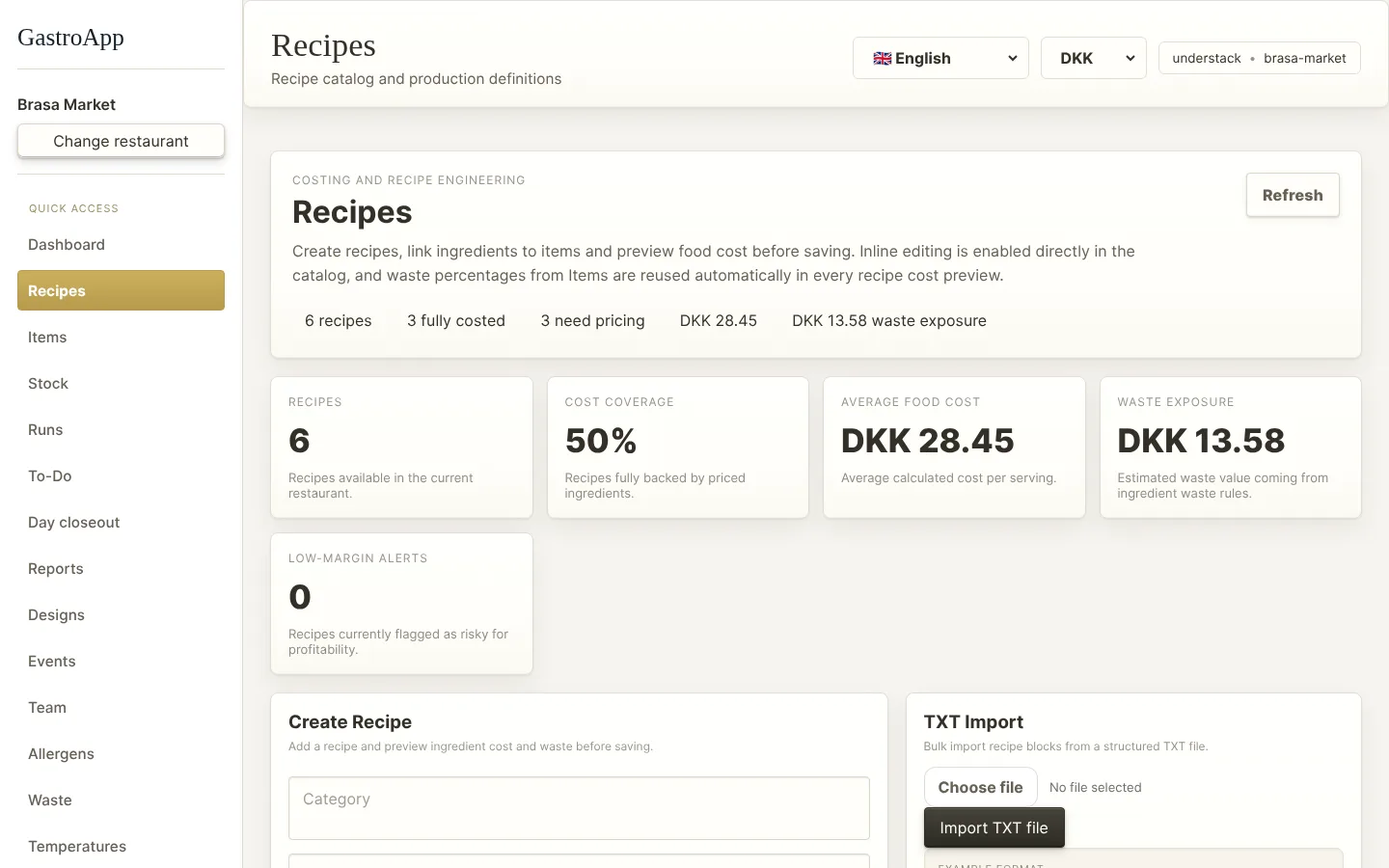
Recipe catalogue with costs and margin Step 2. Under Create Recipe choose a Category and type the recipe name in English and Danish, plus the method or notes if you want them.
Step 3. Press Add ingredient. Pick the Item, the Qty and the unit. Repeat for every ingredient.
Step 4. Check the cost preview before saving: food cost per serving, waste cost and the top cost driver.
Step 5. Press Create Recipe. It appears in the Recipe Catalog.
Step 6. In the catalogue each recipe shows its raw-material cost per batch, the waste cost, a margin alert, the target food cost and the suggested menu price.
Step 7. Use the x1, x2, x3, x5 buttons to preview a bigger batch without saving anything. Use Edit to change a recipe.
Step 8. Many recipes in a text file? TXT Import → Import TXT file loads them all at once.
Step 9. The search box finds recipes by name or by ingredient. The filter All coverage shows only recipes that are fully priced or that still need prices.